
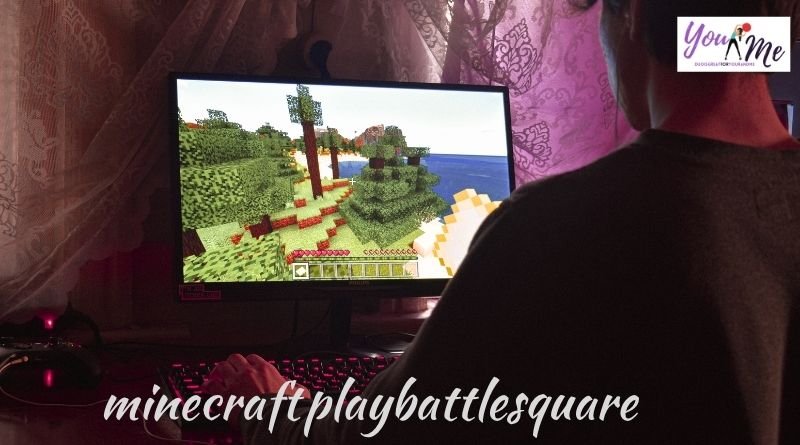
What Is Minecraft PlayBattleSquare?
Minecraft PlayBattleSquare is a fast-paced PvP arena mode built around a shrinking square battlefield. Players spawn, gear up, and fight until only one player or team is left standing.
Unlike regular survival or creative worlds, Minecraft PlayBattleSquare runs on tight rounds, loot chests, and a closing border that forces constant action.
Where It Fits in the Minecraft World
It sits between classic PvP and Battle Royale servers. You still mine, build, and craft, but every match has a clock and a winner.
- Short rounds, usually under 10 minutes
- Square-shaped arenas instead of open maps
- Loot-based gearing instead of pre-set kits
- A shrinking border that pushes players together
Core Game Modes
Minecraft PlayBattleSquare servers usually offer a handful of modes so players can pick their preferred style of play.
Solo PvP
One player versus everyone else. Pure mechanics, aim, and positioning decide the winner.
Team Battles
Squads fight together, share loot, and coordinate pushes. Communication matters more than solo skill here.
Parkour Rounds
Speed and precision movement replace combat. Great for players who prefer platforming over fighting.
Build Challenges
Timed building contests judged on creativity and speed rather than kills.
How to Join a Minecraft PlayBattleSquare Server
Joining takes a few minutes on either edition of the game.
Java Edition
- Open Minecraft and select Multiplayer
- Click Add Server
- Enter the server IP address for a BattleSquare network
- Save the server, then double-click to join
Bedrock Edition
- Open the Play tab
- Select Servers
- Choose a network that runs BattleSquare mode
- Tap to join and wait for the next round
Tips to Win More Rounds
Winning in Minecraft PlayBattleSquare comes down to fast decisions, not just fast clicks.
Early Game
- Rush the nearest chest before opponents spot it
- Grab armor before weapons if you have to choose
- Avoid open ground while the border is still large
Mid Game
- Stay near the edge of the shrinking border, not the center
- Watch for players low on health and take safe fights
- Keep blocks in your hotbar for quick defensive walls
Late Game
- Fight from higher ground whenever possible
- Save healing items for the final circle, not earlier fights
- Track how many players are left before pushing a fight
Is Minecraft PlayBattleSquare Free to Play?
Yes. Most community servers running this mode are free. You only need a valid Minecraft account and a stable connection.
- No entry fee on standard community servers
- Optional cosmetic purchases on some servers
- No pay-to-win gear or advantages in fair play zones
- Cross-platform support on many Bedrock servers
Why Players Keep Coming Back
Matches are short, so there’s always time for one more round. That loop of quick setup, intense fights, and a fast reset is what keeps the mode popular.
Whether you’re new to PvP or already competitive, Minecraft PlayBattleSquare gives you a low-commitment way to test your skills against real players every single day.